Privacy-focused Android browser with built-in proxy and incognito modes
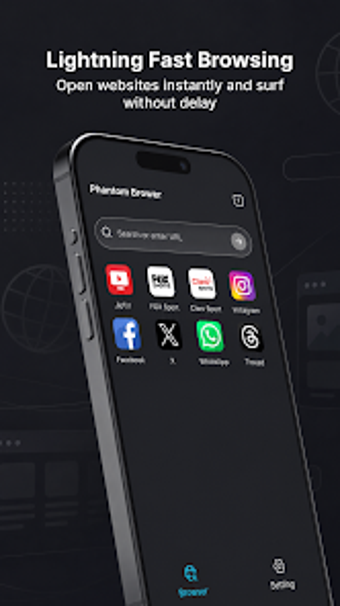
Proxy Browser: Incognito Mode, from QR code scanner Team: Color Phone QR Code, is an Android privacy browser designed to give anonymous web access for users needing to bypass regional restrictions and keep sessions private. The app combines integrated proxy routing and session-focused privacy so users can route traffic through encrypted nodes without manual VPN configuration, and it offers privacy modes, tab controls, and simple bookmark actions. The target audience is privacy-conscious Android users and travelers who need straightforward anonymous browsing.
The browser routes traffic through remote proxy endpoints to reach blocked content
Global proxy network functionality lets the app fetch pages via alternate endpoints so region-locked content can load without an external VPN. A browser-in-a-browser layer masks the device origin while the rendering layer presents pages to the user. This design removes the separate VPN step: connect inside the app and the session is sent through the chosen proxy node instead of the device's direct connection.
The Proxurf engine is designed to keep mobile resource use modest
The app uses the Proxurf engine, described as a lightweight rendering layer intended to speed page loading and reduce latency on Android hardware. Tab and session management increase memory use as with any tabbed browser, so devices with many active tabs will show higher RAM consumption. Expect typical mobile browser behaviour; performance scales with device capability and active-session count.
Session modes limit local traces, but advertising exposure is a plausible trade-off
The app's session options prevent local storage of history, cookies, and trackers, and the enhanced mode aims to block tracking scripts and reduce fingerprinting. Network requests are routed through encrypted proxy nodes to mask origin addresses. Users familiar with the developer's broader free app suite report frequent advertisements in those apps, which indicates ad-related exposure could accompany the browsing experience.
Basic use requires little technical setup, while deeper privacy control needs attention
Zero manual configuration for proxy access makes basic browsing accessible: install and connect. One-tap bookmarks and a recent tabs manager simplify navigation and session switching. Advanced privacy goals such as mitigating fingerprinting require users to engage the enhanced mode and understand tracker-blocking limits; anyone needing stricter guarantees should validate behavior on their device before relying on the app for sensitive tasks.
A pragmatic choice for privacy-minded users with an advertising trade-off
The app suits privacy-minded Android users who need quick anonymous browsing and minimal setup, especially travelers or students. It performs well for casual anonymous sessions, though power users should evaluate privacy settings carefully. Expect a trade-off tied to the developer's free-app history, which suggests advertising may be present. As a practical tip, trial the browser on non-critical browsing before using it for sensitive accounts. Recommended.